Radio and podcasts
Audeeport plays more than your own files. Internet radio and podcasts live in the same sidebar as your library, play through the same audio engine, and work the same way on desktop and mobile.
Internet radio
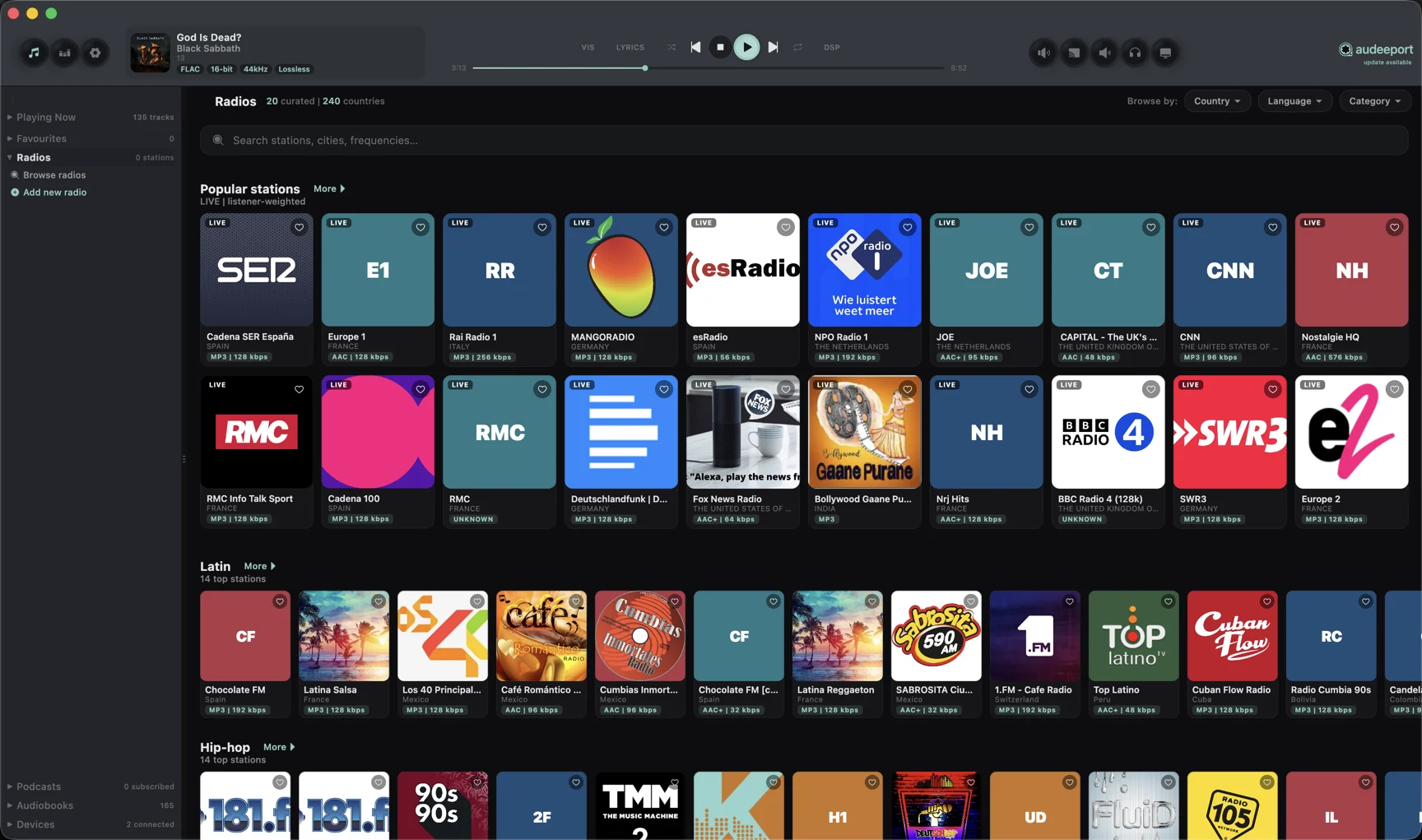
Audeeport pulls from a free, open directory of tens of thousands of real stations. There’s nothing to configure. Open the Radio section and browse.
- Featured. A curated catalog of high-quality public broadcasters: Radio Paradise, the BBC family, NTS, FIP, KEXP, KCRW, WFMU, Linn, SomaFM, and more. These use stable, publisher-published streams, so they tend to just work.
- Genres. Tag-based discovery: jazz, classical, ambient, lo-fi, electronic, rock, and the rest of the popular tags.
- By country. An expandable continent to country to station tree. Each country row shows its real station count, and the list returns up to 500 stations per country.
- By language. The same browse tree, filtered by broadcast language instead.
- Search. Find a station by name or genre directly.
Each station appears as a tile with its logo, name, tags, and bitrate. The play button flips to a pause control for whatever station is live, so the current state is never ambiguous.
Favourites and custom stations
Heart any station from any source and it pins to the bottom of the sidebar for one-click access. Saved stations are stored locally in Audeeport’s database, so your list survives restarts.
Under My Radios you can add a station Audeeport doesn’t know about. Give it a name and paste its stream URL. HTTP and HTTPS Icecast and Shoutcast streams are supported.
Podcasts
Finding shows
You don’t need a feed URL to get started. Open the Browse view and search a podcast by name, or browse the top charts by category. Results come from the iTunes directory as the primary source, merged with Podcast Index as a second source, so a show that’s missing from one still turns up if the other has it. When you already have a feed in hand, paste its RSS URL to subscribe directly. Either way, Audeeport parses the feed and shows the full episode list with titles, descriptions, durations, and publish dates.
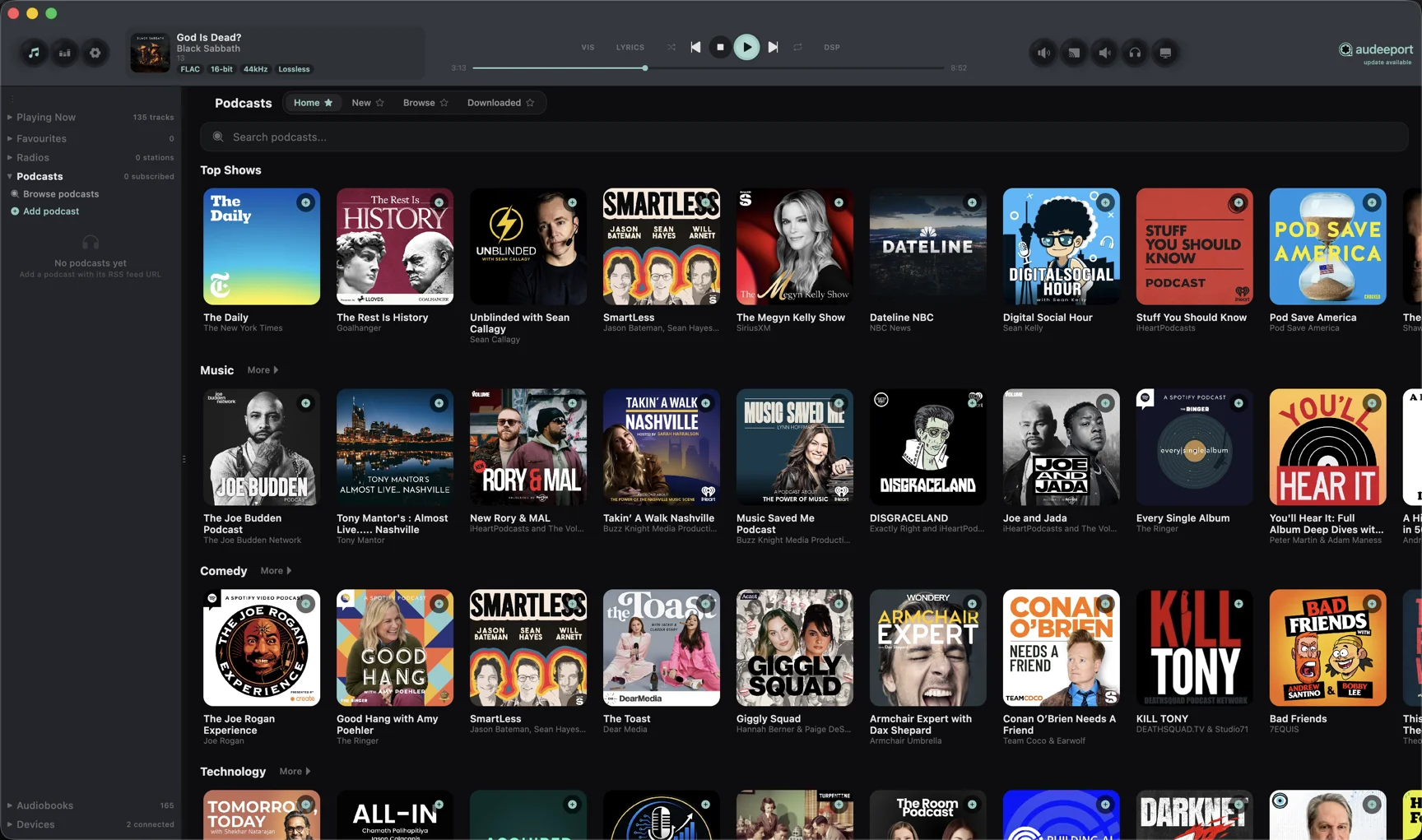
- Playback. Episodes play through the same engine as the rest of your music, so transport, volume, and shortcuts all behave exactly as you expect.
- Speed. Podcasts have their own playback speed, from 0.8x to 2x with pitch preserved. The setting holds across episodes for the session, while your music keeps playing at 1x.
- New-episode badge. The sidebar shows an unseen count per show. It clears the moment you open the show.
- Episode selection. Click anywhere on an episode to select it and read its description without starting playback. Press play when you actually want to listen.
On mobile this is the Pods tab, with the same subscriptions, descriptions, and offline downloads.
Transcripts
Every podcast episode can have a transcript, and Audeeport handles two cases automatically.
- Supplied transcripts. When a feed ships a transcript, Audeeport loads it directly. No work on your end.
- On-device transcription. When a feed ships nothing, press Transcribe and Audeeport generates one locally on your machine. The button reads “Transcribing…” while it runs and “Transcribed” when a cached result exists, so you never start the same job twice. If an episode turns out to be mostly music or ambience with no speech, Audeeport detects that early and stops rather than churning through hours of audio.
Transcription happens on your device. The audio is not sent anywhere to produce the text.
Exporting
Any transcript, supplied or generated, can be exported through the system save dialog in three formats:
- SRT subtitle file
- Plain text
- Text with timestamps
Where to go next
- Audio engine. How streams and episodes are decoded and played.
- Library. Organising the music you own.
- Privacy. What stays on your device and what doesn’t.